Container Orchestration
Containers
DevOps
Certification
Kubernetes

Certified Kubernetes Administrator (CKA)
Prepare for the Kubernetes Administrators certification with live practice tests right in your browser, with no extra hassle.
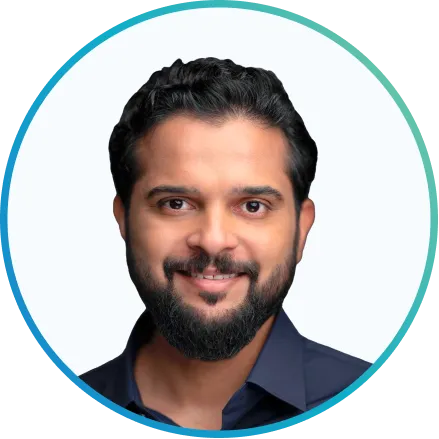
Mumshad Mannambeth
Mumshad Mannambeth
Founder & CEO, KodeKloud
Certified Kubernetes Administrator (CKA)
Play Button
Fill this form to get a notification when course is released.
book
17
Lessons
book
Challenges
Article icon
306
Topics

What you’ll learn

  • Kubernetes architecture and components
  • Installation and setup of a Kubernetes cluster
  • Kubernetes API and Kubernetes objects
  • Deploy and scale applications in Kubernetes
  • Configure and manage Kubernetes networking
  • Kubernetes storage options and management
  • Kubernetes scheduling and resource allocation
  • Kubernetes troubleshooting and debugging
  • Prepare for the CKA certification exam

Our students work at..

Description

Kubernetes is one of the highest trending technology in Cloud Computing as of today. Kubernetes had the fastest growth in job searches, over 173% from a year before, as reported recently by a survey conducted by Indeed.

With our course from KodeKloud, you will be able to learn, practice, and get certified on Kubernetes with hands-on labs right in your browser, with no extra hassle.

Why You Should Learn Kubernetes

Having a CKA Certification is essential for any DevOps professional, and DevOps engineers are always in demand. Currently, the average Silicon Valley salary for a DevOps engineer is 20% higher than what a software engineer makes. DevOps engineers make an average of $140,000 to $200,000 annually. And one of the most in-demand skills is Kubernetes Administration.

What Is Kubernetes?

Kubernetes is an open-source system for automating the deployment, scaling, and management of containerized applications. It was originally designed by Google and is now maintained by the Cloud Native Computing Foundation.

This Kubernetes certification course helps you gain the knowledge required to design and deploy cloud-native applications on a Kubernetes cluster. A series of well-designed lectures with animation and illustrations help you understand complex concepts easily.

Practice Kubernetes With Our CKA Certification Course

Image

Lectures alone won’t help you clear the CKA certification course. The Kubernetes Certification is a practical hands-on exam that provides you with the necessary experience to properly learn Kubernetes. Our coding quizzes can be accessed right in your browser without having to set up any lab environment yourself. We validate your work and give you feedback instantly. You can even preview a few lab exercises for Free!!

After you have completed the lectures and coding exercises, you will have the opportunity to complete a series of assignments that put your new skills to the test. You will be given a challenge to solve using the Kubernetes skills you have learned.

This will give you real-world experience and the chance to work with other students in the community. You will develop a Kubernetes deployment and get feedback to your work.

Join our Community!

Once you enroll in the CKA certification course, you will get access to our community of teachers and learners on Slack where we discuss important topics, tips, and tricks to pass the exam. This is a great place for you to clear your doubts and get answers to your questions instantly.

Sign Up For Our CKA Certification Course Today!

This course is the best way to get Certified in Kubernetes (CKA) for an Absolute Beginner.

Don’t waste any more time wondering what course is best for you. You’ve already found it. Get started right away!

Legal Notice:

Kubernetes and the Kubernetes logo are trademarks or registered trademarks of The Linux Foundation in the United States and/or other countries. The Linux Foundation and other parties may also have trademark rights in other terms used herein. This course is not certified, accredited, affiliated with, nor endorsed by Kubernetes or The Linux Foundation.

Course Update History

  • April 10, 2026 - Lab environment upgrade to 1.35v
  • Sept 11, 2025 – Videos Updated
  • May 26, 2025 – Lab environment upgrade to 1.33v
  • Feb 26, 2025 - Lab environment upgrade to 1.32v
  • Jan 27, 2025 - Two new sections (Helm Basics and Kustomize Basics) added
  • Oct 29, 2024 - Lab environment upgrade to 1.31v
  • July 15, 2024 - Lab environment upgrade to 1.30v
  • Feb 17, 2024 – Lab environment upgrade to 1.29v
  • June 15, 2023 – Lab environment upgrade to 1.27v
  • Feb 2, 2023 – Lab environment upgrade to 1.26v
  • Oct 10, 2022 – Lab environment upgrade to 1.24v
  • Sept 2, 2022 – New lab on etcd added
  • May 15, 2022 – Mock Exam solution videos updated
  • May 1, 2022 – Lab environment upgrade to 1.23v
  • Oct 20, 2021 – Lab environment upgrade to 1.22v
  • May 10, 2021 – Lab environment upgrade to 1.20v
  • Aug 24, 2020 – New updates. Lab environment upgrades to v1.19New lectures Storage Section, Troubleshooting Section, kubectl apply, and Solution videos along with labs were added. Updated Kubernetes Imperative Commands Lab.
  • Jun 16, 2020 – Lab environment upgrade to v1.18
  • Dec 3, 2019 – New labs added
  • Jul 5, 2019 – New Mock Exam to the Kubernetes Certification Courses added
  • Jun 7, 2019 – New lectures on Practice Imperative Commands, Multi Container Pods, and Init Containers, along with labs, were added
  • May 21, 2019 – Lab Updates and fixes

Prerequisites for this course

Students should have a foundational understanding of Docker, basic knowledge of Linux, and familiarity with the YAML language.

Read More

What our students say

Mumshad Mannambeth

About the instructor

Mumshad Mannambeth, Founder and CEO of KodeKloud, is renowned for revolutionizing online learning in DevOps, Cloud Computing, and Automation. 

Mumshad has also worked for Dell EMC, he held various roles including Solutions Architect/Developer and Storage Operations Specialist, where he specialized in storage automation and cloud deployment solutions. His contributions in application modernization and cloud migration are notable.

Mumshad has led teams in APAC, focusing on DevOps and Cloud Automation. His expertise in designing and deploying applications on Microsoft Azure and developing CI/CD pipelines has been pivotal in his professional journey.

He's widely recognized as a Knowledge Sharing Author and has been honored with Excellence@EMC awards in multiple categories.

Mumshad Mannambeth's blend of technical expertise and educational innovation has made him a popular figure in the tech community, and his work at KodeKloud continues to impact and upskill engineers globally.

No items found.

Introduction

lock
4
Topics
Lesson Content

Module Content

Course Introduction03:03
Certification02:58
Discount & Certification Details
How to Reach Out to KodeKloud and Engage with the Community

Core Concepts

lock
42
Topics
Lesson Content

Module Content

Core Concepts - Section Introduction00:31
Cluster Architecture08:48
Docker-vs-ContainerD12:58
A Note on Docker Deprecation02:13
etcd for Beginners07:02
etcd in Kubernetes03:14
etcd – Commands (Optional)
Kube API Server04:51
Kube Controller Manager04:15
Kube Scheduler03:53
Kubelet01:42
Kube Proxy03:41
Pods09:04
Pods With YAML06:44
Demo - Pods With YAML06:17
Practice Test Introduction05:45
Lab - Pods
Lab Solution - Pods (optional)11:32
ReplicaSets16:09
Lab - ReplicaSets
Lab Solution - ReplicaSets (optional)14:09
Deployments04:21
Certification Tip!
Lab- Deployments
Lab Solution: Deployment(optional)07:08
Services13:33
Services Cluster IP04:02
Services - Loadbalancer03:42
Lab - Services
Lab Solution: Services (optional)09:28
Namespaces08:23
Lab - Namespaces
Solution: Namespaces (optional)05:03
Imperative vs Declarative13:06
Certification Tips - Imperative Commands With Kubectl
Kubectl Explain Command01:51
Lab - Imperative Commands
Lab Solution: Imperative Commands (optional)13:25
Kubectl Apply Command04:38
A Quick Reminder01:10
Notes available at KodeKloud Notes
Reference Notes for lectures and labs

Scheduling

lock
38
Topics
Lesson Content

Module Content

Scheduling - Section Introduction00:54
Manual Scheduling02:31
Lab - Manual Scheduling
Lab Solution: Manual Scheduling (optional)06:53
Labels and Selectors05:47
Lab - Labels and Selectors
Lab Solution: Labels and Selectors05:34
Taints and Tolerations09:42
Lab - Taints and Tolerations
Lab Solution - Taints and Toleration (Optional)10:10
Node Selectors03:19
Node Affinity07:16
Lab - Node Affinity
Lab Solution - Node Affinity (Optional)10:13
Taints and Tolerations vs Node Affinity02:32
Resource Requirements14:51
A Quick Note on editing Pods and Deployments
Lab - Resource Limits
Lab Solution: Resource Limits05:22
DaemonSets04:08
Lab - DaemonSets
Lab Solution: DaemonSets (optional)05:45
Static Pods08:45
Lab - Static Pods
Lab Solution - Static Pods (Optional)14:36
🆕 Priority Classes06:13
🆕 Lab - Priority Classes
Multiple Schedulers09:32
Lab - Multiple Schedulers
Lab Solution - Multiple Scheduler06:36
Configuring Scheduler Profiles09:53
References
🆕 (2025 Updates) Admission Controllers07:54
🆕 (2025 Updates) Lab - Admission Controllers
🆕 (2025 Updates) Lab Solution: Admission Controllers06:41
🆕 (2025 Updates) Validating and Mutating Admission Controllers10:08
🆕 (2025 Updates) Lab - Validating and Mutating Admission Controllers
🆕 (2025 Updates) Lab Solution: Validating and Mutating Admission Controllers07:39

Logging & Monitoring

lock
7
Topics
Lesson Content

Module Content

Logging and Monitoring - Section Introduction00:29
Monitoring Cluster Components03:50
Lab - Monitoring Cluster Components
Lab Solution: Monitor Cluster Components04:22
Managing Application Logs02:16
Lab - Managing Application Logs
Lab Solution: Logging : (Optional)02:48

Application Lifecycle Management

lock
34
Topics
Lesson Content

Module Content

Application Lifecycle Management - Section Introduction00:42
Rolling Updates and Rollbacks06:43
Lab - Rolling Updates and Rollbacks
Lab Solution: Rolling update09:05
Configure Applications
Commands and Arguments in Docker07:20
Commands and Arguments in Kubernetes02:39
Lab - Commands and Arguments
Lab Solution - Commands and Arguments (Optional)19:32
Configuring Environment Variables in Applications01:06
Configuring ConfigMaps in Applications05:10
Lab - Env Variables
Lab Solution - Env Variables (Optional)09:00
Secrets05:37
Lab - Secrets
Additional Resource
Lab Solution - Secrets (Optional)09:53
Demo: Encrypting Secret Data at Rest18:47
A note on Secrets
Multi-Container Pods02:15
Multi-Container Pods Design Patterns06:04
Lab - Multi Container Pods
Init Containers
Lab - Init Containers
Lab Solution - Init Containers (Optional)10:57
Self-Healing Applications
🆕Introduction to Autoscaling (2025 Updates)05:21
🆕 Horizontal Pod Autoscaler (HPA) (2025 Updates)05:29
Lab - Manual Scaling
Lab - HPA
🆕 In-place Resize of Pods (2025 Updates)03:30
🆕Vertical Pod Autoscaling (VPA) (2025 Updates)09:22
Lab - Install VPA
Lab - Modifying CPU resources in VPA

Cluster Maintenance

lock
15
Topics
Lesson Content

Module Content

Cluster Maintenance - Section Introduction01:16
OS Upgrades03:49
Lab - OS Upgrades
Lab Solution - OS Upgrades (optional)10:50
Kubernetes Releases02:24
References
Cluster Upgrade Introduction11:11
Demo - Cluster Upgrade19:00
Lab - Cluster Upgrade Process
Lab Solution: Cluster Upgrade Process16:46
Backup and Restore Methods06:18
Working with ETCDCTL and ETCDUTL
Lab - Backup and Restore Methods
Certification Exam Tip!
References

Security

lock
45
Topics
Lesson Content

Module Content

Security - Section Introduction02:15
Kubernetes Security Primitives03:18
Authentication05:34
TLS Introduction01:29
TLS Basics20:03
TLS in Kubernetes07:48
TLS in Kubernetes - Certificate Creation10:55
View Certificate Details04:31
Certificate Health Check Spreadsheet
Lab - View Certificate Details
Lab Solution - View Certification Details21:29
Certificates API06:07
Lab - Certificates API
Lab Solution - Certificates API07:37
KubeConfig08:32
Lab - KubeConfig
Lab Solution - KubeConfig08:08
API Groups05:52
Authorization07:30
Role-Based Access Controls04:24
Lab - Role-Based Access Controls
Lab - Role-Based Access Controls13:28
Cluster Roles04:33
Lab - Cluster Roles
Lab Solution - Cluster Roles11:13
Service Accounts08:27
Lab - Service Accounts
Lab Solution- Service Accounts07:19
Image Security04:43
Lab - Image Security
Lab Solution - Image Security06:53
Prerequisite - Security in Docker05:33
Security Contexts01:52
Lab - Security Contexts
Lab Solution - Security Contexts05:11
Network Policies08:25
Developing Network Policies10:55
Lab - Network Policies
Lab Solution - Network Policies (optional)14:11
Kubectx and Kubens – Command line Utilities
🆕 (2025 Updates) Custom Resource Definition (CRD)11:01
🆕 Lab: Custom Resource Definition (2025 Updates)
🆕(2025 Updates) Custom Controllers03:57
🆕(2025 Updates) Operator Framework03:00
Optional Resource: External Secrets Operator

Storage

lock
14
Topics
Lesson Content

Module Content

Storage - Section Introduction00:45
Docker Storage - Introduction00:54
Storage in Docker12:32
Volume Driver Plugins in Docker01:53
Container Storage Interface03:44
Volumes04:30
Persistent Volumes03:01
Persistent Volume Claims04:05
Using PVC in Pods
Lab - Persistent Volume Claims
Lab Solution - Persistent Volumes and Persistent Volume Claims (optional)18:12
Storage Class03:59
Lab - Storage Class
Lab Solution - Storage Class10:28

Networking

lock
35
Topics
Lesson Content

Module Content

Networking - Introduction02:04
Prerequisite Switching, Routing, Gateways CNI in kubernetes12:12
Prerequisite DNS14:24
Prerequisite - CoreDNS
Prerequisite Network Namespaces15:09
FAQ
Prerequisite Docker Networking07:15
Prerequisite CNI06:10
Cluster Networking02:11
Important Note about CNI and CKA Exam
Lab - Explore Environment
Lab Solution - Explore Environment (optional)08:29
Pod Networking09:03
CNI in kubernetes03:06
Lab - Test CNI
Lab Solution - Explore CNI (optional)02:12
ipam02:25
🆕 Lab - Networking CNIs
Service Networking08:51
Lab - Service Networking
Lab Solution - Service Networking (optional)05:12
DNS in kubernetes05:39
CoreDNS in Kubernetes06:41
Lab - CoreDNS in Kubernetes
Lab Solution - Explore DNS (optional)15:57
Ingress22:34
Article: Ingress
Ingress - Annotations and rewrite-target
Lab - CKA - Ingress Networking - 1
Lab Solution - Ingress Networking - 1 (optional)15:46
Lab - CKA Ingress Networking - 2
Lab Solution - Ingress Networking - 2 (optional)14:34
🆕 Introduction to Gateway API (2025 Updates)08:23
🆕 Practical Guide to Gateway API (2025 Updates)
🆕 Lab - Gateway API (2025 Updates)

Design and Install a Kubernetes Cluster

lock
5
Topics
Lesson Content

Module Content

Designing a Kubernetes Cluster05:44
Choosing Kubernetes Infrastructure05:52
Configuring High Availability07:44
etcd in HA12:16
Important Update: Kubernetes the Hard Way

Install “Kubernetes the kubeadm way”

lock
6
Topics
Lesson Content

Module Content

Deployment With kubeadm - Introduction02:25
Resources
Deployment With Kubeadm - Provision VMs With Vagrant05:55
Demo - Deployment With Kubeadm25:51
Lab - Deploy a Kubernetes Cluster using Kubeadm
Lab Solution - Install a Kubernetes Cluster using kubeadm09:51

(2025 Updates) Helm Basics

lock
11
Topics
Lesson Content

Module Content

🆕 Helm - Introduction06:33
🆕 Installation and Configuration01:25
🆕 Lab: Installing Helm
🆕 A quick note about Helm2 vs Helm308:09
🆕 Helm Components07:49
🆕 Helm charts07:24
🆕 Working with Helm: basics06:16
🆕 Customizing chart parameters04:05
🆕 Lab: using Helm to deploy a chart
🆕 Lifecycle management with Helm07:51
🆕 Lab: upgrading a helm chart

(2025 Updates) Kustomize Basics

lock
22
Topics
Lesson Content

Module Content

🆕 Kustomize Problem Statement and Ideology08:03
🆕 Kustomize vs Helm04:34
🆕 Installation/Setup01:05
🆕 The kustomization.yaml File03:54
🆕 Kustomize Output02:31
🆕 Kustomize ApiVersion and Kind00:22
🆕 Managing Directories06:18
🆕 Managing Directories Demo09:21
🆕 Lab: Managing Directories(Kustomize)
🆕 Common Transformers03:27
🆕 Image Transformers02:31
🆕 Transformers Demo11:31
🆕 Lab: Transformers
🆕 Patches Intro08:29
🆕 Different Types of Patches01:13
🆕 Patches Dictionary06:02
🆕 Patches List06:21
🆕 Lab: Patches
🆕 Overlays05:41
🆕 Lab: Overlay
🆕 Components08:44
🆕 Lab: Components

Troubleshooting

lock
12
Topics
Lesson Content

Module Content

Troubleshooting - Section Introduction00:27
Application Failure02:51
Lab - Application Failure
Lab Solution - Application Failure28:07
Control Plane Failure01:26
Lab - Control Plane Failure
Lab Solution: Control Plane Failure15:56
Worker Node Failure01:55
Lab - Worker Node Failure
Lab Solutions - Worker Node Failure10:22
Network Troubleshooting11:58
Lab - Troubleshoot Network

Other Topics

lock
3
Topics
Lesson Content

Module Content

Prerequisites - JSON Path
JSON Path in Kubernetes11:54
Lab - JSON Path in Kubernetes

Lightning Labs

lock
2
Topics
Lesson Content

Module Content

Lightning Lab Introduction
Lightning Lab - 1

Mock Exams

lock
11
Topics
Lesson Content

Module Content

Mock Exam - Introduction
🆕 Mock Exam - 1
🆕 Mock Exam-1: Step-by-Step Solutions32:08
🆕 Mock Exam - 2
🆕 Mock Exam-2: Step-by-Step Solutions55:38
🆕 Mock Exam - 3
🆕 Mock Exam-3: Step-by-Step Solutions48:06
What's Next?07:23
All the Best!
Continue Your Preparation with Our Ultimate Mock Exam!
Kubernetes Update and Project Videos - Your Essential Guide

Frequently Asked Questions

Who are KodeKloud courses for?

KodeKloud courses are designed for learners at different skill levels, from beginners to experienced IT professionals looking to develop or strengthen their technical skills.

Do KodeKloud courses include hands-on practice?

Yes. Many KodeKloud courses include hands-on labs and practical exercises that let you apply what you learn in real-world environments.

Do I need any prior experience to take a KodeKloud course?

Prerequisites vary by course. Each course page provides information about the recommended knowledge or experience you may need before starting.

Can I learn at my own pace?

Yes. KodeKloud courses are designed for self paced learning, so you can learn according to your schedule and revisit lessons and practice activities as needed.

Can I access KodeKloud courses on mobile devices?

Yes. KodeKloud can be accessed through supported web browsers and mobile devices, allowing you to learn from different devices.

Do KodeKloud courses provide certificates?

Certificate availability depends on the course and your KodeKloud plan. Check the individual course page or your account for the applicable certificate details.

How long does it take to complete a KodeKloud course?

Course completion time varies depending on the course length, your prior experience, and how much time you spend on hands-on practice.

Can I practice while taking the course?

Yes. Courses that include hands-on labs allow you to practice concepts as you progress through the lessons.

 How do I start learning a KodeKloud course?

Choose a course that matches your learning goals, review its requirements and curriculum, and select the available subscription option to start learning.

Certified Kubernetes Administrator (CKA)
Play Button
Certified Kubernetes Administrator (CKA)
Fill this form to get a notification when course is released.
This course comes with hands-on cloud labs
17
Modules
Lessons
306
Lessons
Course Certificate
26.12
Hours of Video
Hours of Labs
Story Format
Videos
Case Studies
Demo
Labs
Cloud Labs
Mock exams
Quizzes
Discord Community Support
Community support
English, French, Spanish, Hindi, Chinese
Closed Captions

Expand Your Skills in Other Domains

Top-rated KodeKloud courses across popular technology tracks

More Courses From

Mumshad Mannambeth

View instructor profile
Kubestronaut
Golden Kubestronaut
CKS
CKA
Container Orchestration
Containers
DevOps
Certification
Kubernetes
close