


.svg)
.svg)
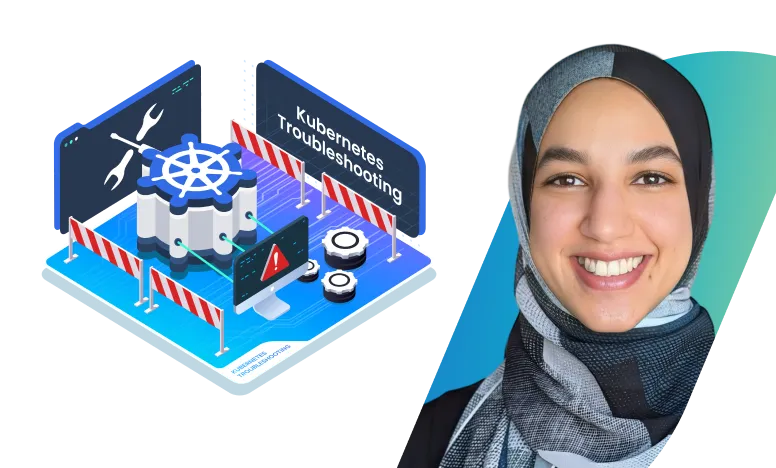
Kubernetes Troubleshooting for Application Developers

.webp)


What you’ll learn
Our students work at..


Description
Learning to Kubernetes is one thing, working with Kubernetes however, is an entirely different story. This course is intended to bridge the gap. The focus of this course is to show real-life scenarios that Kubernetes application developers run into in practice.
In this fully hands-on scenario-based course, we will be troubleshooting a variety of issues relating to Kubernetes application development, from crashing pods to unreachable services. By the end of the course, you will be familiar with the commonly encountered issues while working with Kubernetes as well as how to navigate your way around new ones.
What You’ll Learn:
- Kubectl Essentials: Revisit fundamental `kubectl` commands with a special focus on commands used for troubleshooting.
- Common Errors: Understand, diagnose, and resolve frequent issues such as image pull errors, create container errors, pod crashloopbackoffs and much more.
- Practical Tips & Tricks: Learn hands-on tips and tricks that you might not have learned in theory but will definitely need in practice.
- Common Kubernetes Pitfalls: Learn how to navigate your way around well-known configuration pitfalls in Kubernetes including deployment configurations, RBAC, and network policies.
- New Tools: Add a couple of new Kubernetes tools to your toolset.
This highly practical condensed course is based on scenarios that mimic many of the real-world scenarios that you will encounter when you work with Kubernetes. Complemented by the hands-on labs, this course will ensure you’re well-equipped to handle a wide range of Kubernetes troubleshooting scenarios efficiently.
Target Audience:
- Kubernetes application developers and beginners seeking to augment their theoretical knowledge of Kubernetes with practical experience.
- DevOps Engineers seeking Kubernetes troubleshooting skills.
- Site Reliability Engineers (SREs)
- Cloud Engineers managing Kubernetes clusters
- Technical Support Engineers focusing on Kubernetes environments
- Technical Leads overseeing cloud-native applications
What our students say

About the instructor
Nourhan Khaled is a DevOps Engineer who finds joy in making things work. Prior to her DevOps career, she had experience developing both web and machine learning applications. She went from developing applications to deploying them, becoming a Certified Kubernetes Application Developer along the way. She particularly enjoys demystifying complex DevOps topics for beginners, passing on the tips and tricks she learns along the way.

Introduction

Prerequisites
Troubleshooting Scenarios
Frequently Asked Questions
Who are KodeKloud courses for?
KodeKloud courses are designed for learners at different skill levels, from beginners to experienced IT professionals looking to develop or strengthen their technical skills.
Do KodeKloud courses include hands-on practice?
Yes. Many KodeKloud courses include hands-on labs and practical exercises that let you apply what you learn in real-world environments.
Do I need any prior experience to take a KodeKloud course?
Prerequisites vary by course. Each course page provides information about the recommended knowledge or experience you may need before starting.
Can I learn at my own pace?
Yes. KodeKloud courses are designed for self paced learning, so you can learn according to your schedule and revisit lessons and practice activities as needed.
Can I access KodeKloud courses on mobile devices?
Yes. KodeKloud can be accessed through supported web browsers and mobile devices, allowing you to learn from different devices.
Do KodeKloud courses provide certificates?
Certificate availability depends on the course and your KodeKloud plan. Check the individual course page or your account for the applicable certificate details.
How long does it take to complete a KodeKloud course?
Course completion time varies depending on the course length, your prior experience, and how much time you spend on hands-on practice.
Can I practice while taking the course?
Yes. Courses that include hands-on labs allow you to practice concepts as you progress through the lessons.
How do I start learning a KodeKloud course?
Choose a course that matches your learning goals, review its requirements and curriculum, and select the available subscription option to start learning.
Get access to KodeKloud’s all courses.
Get access to KodeKloud’s all Pro courses.
Get access to our Labs now!
190+
1280+
75+


Expand Your Skills in Other Domains
AWS Certified Cloud Practitioner (CLF-C02)


.svg)


GCP Cloud Digital Leader Certification

AZ-104: Microsoft Azure Administrator

DevOps Pre-Requisite Course

Fundamentals of DevOps
DevOps Interview Preparation Course
AI Infrastructure: LLM-D, vLLM and GPUs
AI-900: Microsoft Certified Azure AI Fundamentals
AI Agents Fundamentals

Kubernetes for the Absolute Beginners – Hands-on Tutorial
Certified Kubernetes Administrator (CKA)
Certified Kubernetes Security Specialist (CKS)
AWS Solutions Architect Associate Certification

AWS Lambda

.svg)
