


.svg)
.svg)
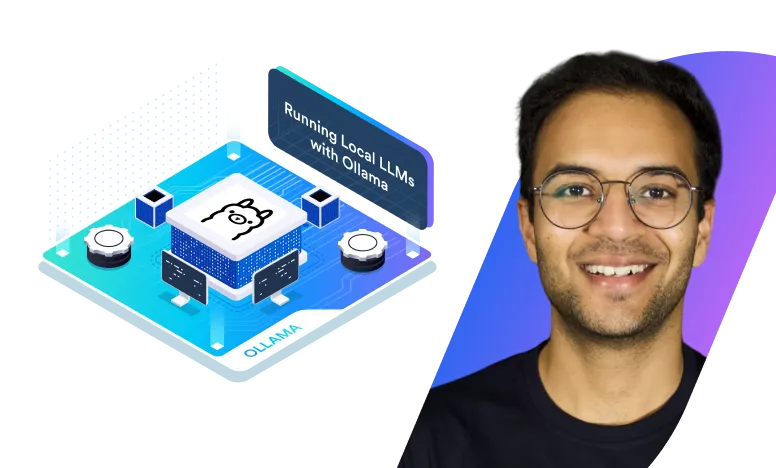
Running Local LLMs With Ollama




What you’ll learn
Our students work at..


Description
AI is transforming the world, and at the core of this revolution are Large Language Models (LLMs). While cloud-based AI services like ChatGPT and Claude dominate the landscape, running AI models locally opens up new possibilities for control, customization, and efficiency. That’s where Ollama comes in.
This course empowers you to deploy and manage LLMs efficiently on your own infrastructure. Whether you’re a developer, data scientist, or AI enthusiast, mastering Ollama will give you the flexibility to build AI-powered applications while maintaining full control over your models.
What You'll Learn
- Getting Started with Ollama
- Set up and configure Ollama on your system.
- Run your first AI model and explore key CLI commands.
- Experiment with different models, parameters, and community tools.
- Building AI Applications
- Understand Ollama’s REST API and its endpoints.
- Integrate AI models into real-world applications.
- Adapt projects for OpenAI API compatibility.
- Customizing Models with Ollama
- Modify pre-built AI models with a Modelfile.
- Fine-tune models and adjust parameters to fit specific use cases.
- Upload and deploy custom AI models.
Why Take This Course?
This course combines hands-on labs with real-world scenarios, ensuring you gain practical experience in deploying and working with LLMs. You’ll experiment with model customization, build AI-powered applications, and develop skills to harness the full potential of AI on your local infrastructure.
What our students say

About the instructor
Arsh is a passionate technologist with a deep curiosity for exploring and experimenting with emerging technologies. A strong advocate for continuous learning, he actively shares his knowledge through blogs and video tutorials. As a dedicated member of open-source communities, he has built a reputation as a prominent contributor and advocate. Recognized as a CNCF Ambassador and a recipient of the Kubernetes Contributor Award, Arsh has made significant contributions to the cloud-native ecosystem. His open-source journey includes working on the Kubernetes team at VMware and contributing to key CNCF projects such as cert-manager and Kyverno.
Beyond engineering, Arsh has extensive experience in technical marketing. At Okteto, a fast-growing startup in the platform engineering space, he led technical content creation and advocacy, bridging the gap between engineering and community engagement.

Prerequisites

Getting Started With Ollama
Building AI Applications
Customising Models With Ollama
Frequently Asked Questions
Who are KodeKloud courses for?
KodeKloud courses are designed for learners at different skill levels, from beginners to experienced IT professionals looking to develop or strengthen their technical skills.
Do KodeKloud courses include hands-on practice?
Yes. Many KodeKloud courses include hands-on labs and practical exercises that let you apply what you learn in real-world environments.
Do I need any prior experience to take a KodeKloud course?
Prerequisites vary by course. Each course page provides information about the recommended knowledge or experience you may need before starting.
Can I learn at my own pace?
Yes. KodeKloud courses are designed for self paced learning, so you can learn according to your schedule and revisit lessons and practice activities as needed.
Can I access KodeKloud courses on mobile devices?
Yes. KodeKloud can be accessed through supported web browsers and mobile devices, allowing you to learn from different devices.
Do KodeKloud courses provide certificates?
Certificate availability depends on the course and your KodeKloud plan. Check the individual course page or your account for the applicable certificate details.
How long does it take to complete a KodeKloud course?
Course completion time varies depending on the course length, your prior experience, and how much time you spend on hands-on practice.
Can I practice while taking the course?
Yes. Courses that include hands-on labs allow you to practice concepts as you progress through the lessons.
How do I start learning a KodeKloud course?
Choose a course that matches your learning goals, review its requirements and curriculum, and select the available subscription option to start learning.
Get access to KodeKloud’s all courses.
Get access to KodeKloud’s all Pro courses.
Get access to our Labs now!
190+
1280+
75+


Expand Your Skills in Other Domains
AWS Certified Cloud Practitioner (CLF-C02)


.svg)


GCP Cloud Digital Leader Certification

AZ-104: Microsoft Azure Administrator

DevOps Pre-Requisite Course

Fundamentals of DevOps
DevOps Interview Preparation Course
AI Infrastructure: LLM-D, vLLM and GPUs
AI-900: Microsoft Certified Azure AI Fundamentals
AI Agents Fundamentals

Kubernetes for the Absolute Beginners – Hands-on Tutorial
Certified Kubernetes Administrator (CKA)
Certified Kubernetes Security Specialist (CKS)
AWS Solutions Architect Associate Certification

AWS Lambda
.svg)
