


.svg)
.svg)
GitHub Copilot Certification




What you’ll learn
Our students work at..


Description
Unlock the potential of AI-assisted development with our GitHub Copilot Certification Course. This program provides developers with essential insights and practical knowledge to leverage GitHub Copilot, enhancing coding efficiency and AI collaboration.
Course Content
Introduction
Explore the foundational aspects of GitHub Copilot, including its role in AI pair programming, strengths and limitations, and integration with the Software Development Life Cycle (SDLC). Learn to configure Copilot in Visual Studio, experience code completion demos, achieve quick productivity gains, and utilize comment-driven development.
GitHub Copilot Basics
Delve into the ethical and responsible use of AI, setup and configuration of Copilot, and explore essential features like inline suggestions, Copilot chat, and multiple code suggestions, ensuring a robust understanding of Copilot’s capabilities.
Prompt Engineering with Copilot
Master the art of prompt engineering by learning foundational techniques, types of prompting (zero shot, one shot, few shot), and understanding data flow with Copilot, including advanced topics like GitHub Language Learning Models (LLMs) and LoRA fine-tuning.
Advanced Features
Discover GitHub Copilot's advanced capabilities, such as in-depth slash commands, Copilot agents, context manipulation, and command-line integration, elevating your development process through AI-enhanced tools.
Management of GitHub Copilot
Understand how to manage GitHub Copilot effectively, covering plan exploration, privacy fundamentals, data exclusion mechanisms, and contractual protections, along with troubleshooting strategies to optimize your usage.
Using Copilot Efficiently
Apply your knowledge in practical scenarios by learning to create new projects, develop APIs, backend integration, code documentation, unit tests, and API documentation, culminating in a comprehensive summary of best practices for using Copilot efficiently.
What our students say

About the instructor
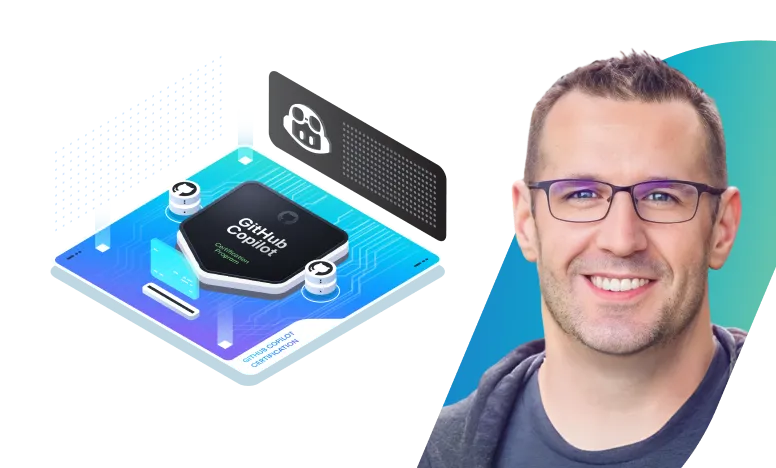
Jeremy Morgan is a Senior Training Architect with endless enthusiasm for learning and sharing knowledge. Since transitioning from an engineering practitioner to an instructor in 2019, he has been dedicated to helping others excel. Passionate about DevOps, Linux, Machine Learning, and Generative AI, Jeremy actively shares his expertise through videos, articles, talks, and his tech blog, which attracts 9,000 daily readers. His work has been featured on Lifehacker, Wired, Hacker News, and Reddit.

Introduction

GitHub Copilot Basics
Prompt Engineering with Copilot
Advanced Features
Management of GitHub Copilot
Using Copilot Efficiently
Mock Exam
Frequently Asked Questions
Who are KodeKloud courses for?
KodeKloud courses are designed for learners at different skill levels, from beginners to experienced IT professionals looking to develop or strengthen their technical skills.
Do KodeKloud courses include hands-on practice?
Yes. Many KodeKloud courses include hands-on labs and practical exercises that let you apply what you learn in real-world environments.
Do I need any prior experience to take a KodeKloud course?
Prerequisites vary by course. Each course page provides information about the recommended knowledge or experience you may need before starting.
Can I learn at my own pace?
Yes. KodeKloud courses are designed for self paced learning, so you can learn according to your schedule and revisit lessons and practice activities as needed.
Can I access KodeKloud courses on mobile devices?
Yes. KodeKloud can be accessed through supported web browsers and mobile devices, allowing you to learn from different devices.
Do KodeKloud courses provide certificates?
Certificate availability depends on the course and your KodeKloud plan. Check the individual course page or your account for the applicable certificate details.
How long does it take to complete a KodeKloud course?
Course completion time varies depending on the course length, your prior experience, and how much time you spend on hands-on practice.
Can I practice while taking the course?
Yes. Courses that include hands-on labs allow you to practice concepts as you progress through the lessons.
How do I start learning a KodeKloud course?
Choose a course that matches your learning goals, review its requirements and curriculum, and select the available subscription option to start learning.
Get access to KodeKloud’s all courses.
Get access to KodeKloud’s all Pro courses.
Get access to our Labs now!
190+
1280+
75+


Expand Your Skills in Other Domains
AWS Certified Cloud Practitioner (CLF-C02)


.svg)

GCP Cloud Digital Leader Certification

AZ-104: Microsoft Azure Administrator

DevOps Pre-Requisite Course

Fundamentals of DevOps
DevOps Interview Preparation Course
AI Infrastructure: LLM-D, vLLM and GPUs
AI-900: Microsoft Certified Azure AI Fundamentals
AI Agents Fundamentals

Kubernetes for the Absolute Beginners – Hands-on Tutorial
Certified Kubernetes Administrator (CKA)
Certified Kubernetes Security Specialist (CKS)
AWS Solutions Architect Associate Certification

AWS Lambda

GitHub Copilot Certification
Prep Course - Linux Foundation Certified System Administrator (LFCS)
AZ-400: Designing and Implementing Microsoft DevOps Solutions

.svg)
